 AOMEI Backupper
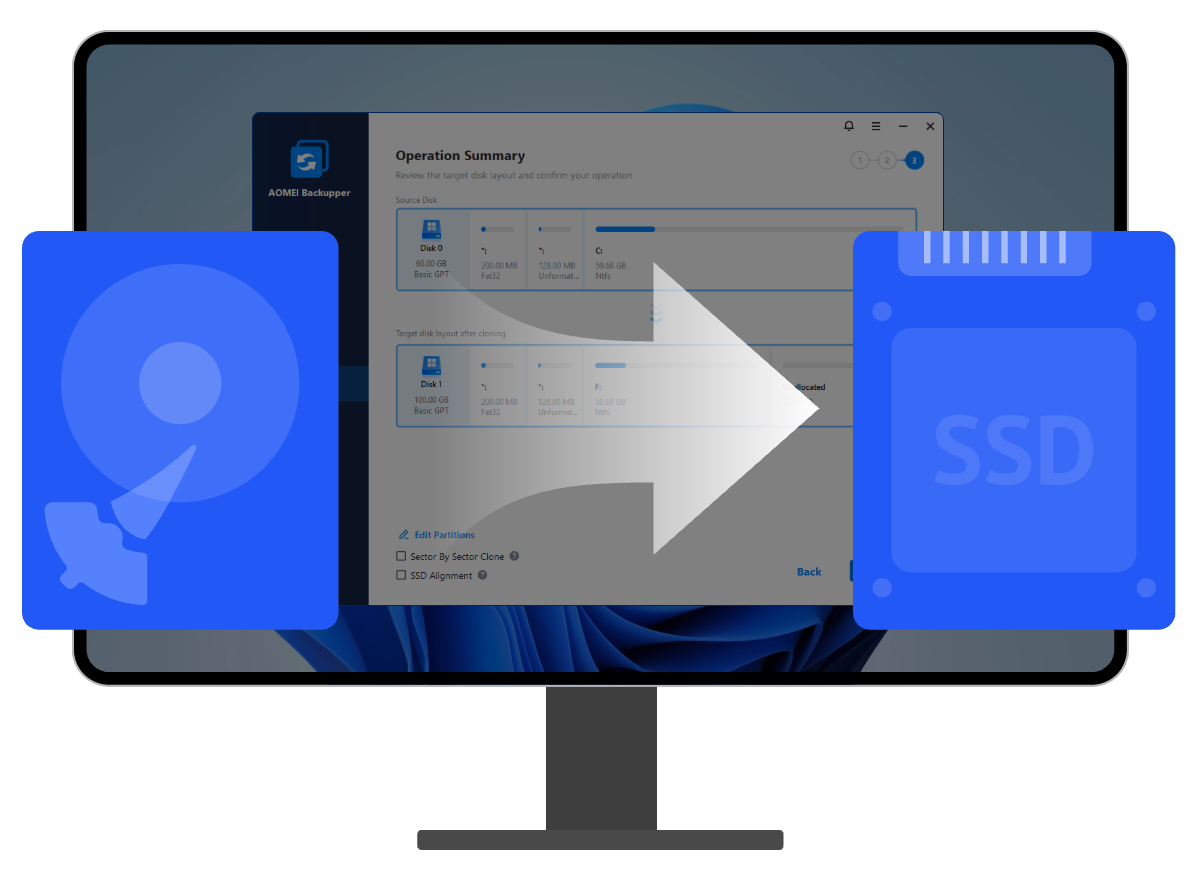
For better PC performance, it's wise to upgrade your Windows 11/10 HDD to SSD. AOMEI Backupper supports cloning the entire Windows disk to SSD of different sizes.
Need to switch to new disk but want to keep OS? The tool not only allows you to perform complete Windows disk cloning, but also to move only C drive and OS-related partitions without boot failure.

If your Windows 11/10 disk in use is is showing signs of failure, it's time to upgrade. Use the software to clone the old falling hard drive without reinstllaing Windows and other apps.

Clone an entire Windows 11/10 hard drive. System, partitions, files, user settings and configurations will all be cloned over to the new disk.

Clone the system partition (usually the C: drive) and related partition(s) rather than the whole Windows disk, such as EFI system partition and recovery partition, so that OS can boot from the new drive smoothly.

Clone a specific partition or dynamic volume. More flexible than disk clone, partition clone is specially designed to copy content of one certain partition or dynamic volume.

Add unused space to all partitions or manually adjust partition size on the destination disk, thus eliminating the cloned hard drive show wrong size issue.

Clone only used sectors while skip bad sectors on a hard drive from one to another, thus you can clone larger drive to smaller drive with high success rate.
Clone all sectors of a hard drive, whether it’s used or not, without worrying about boot failure due to missing system reserved partition or other system files.
Align 4k physical sectors for SSD, thus making it run faster (eg: faster reading and writing speed) after cloning.
Here are detailed steps on how to clone Windows 11/10 hard drive to SSD with AOMEI Backupper.
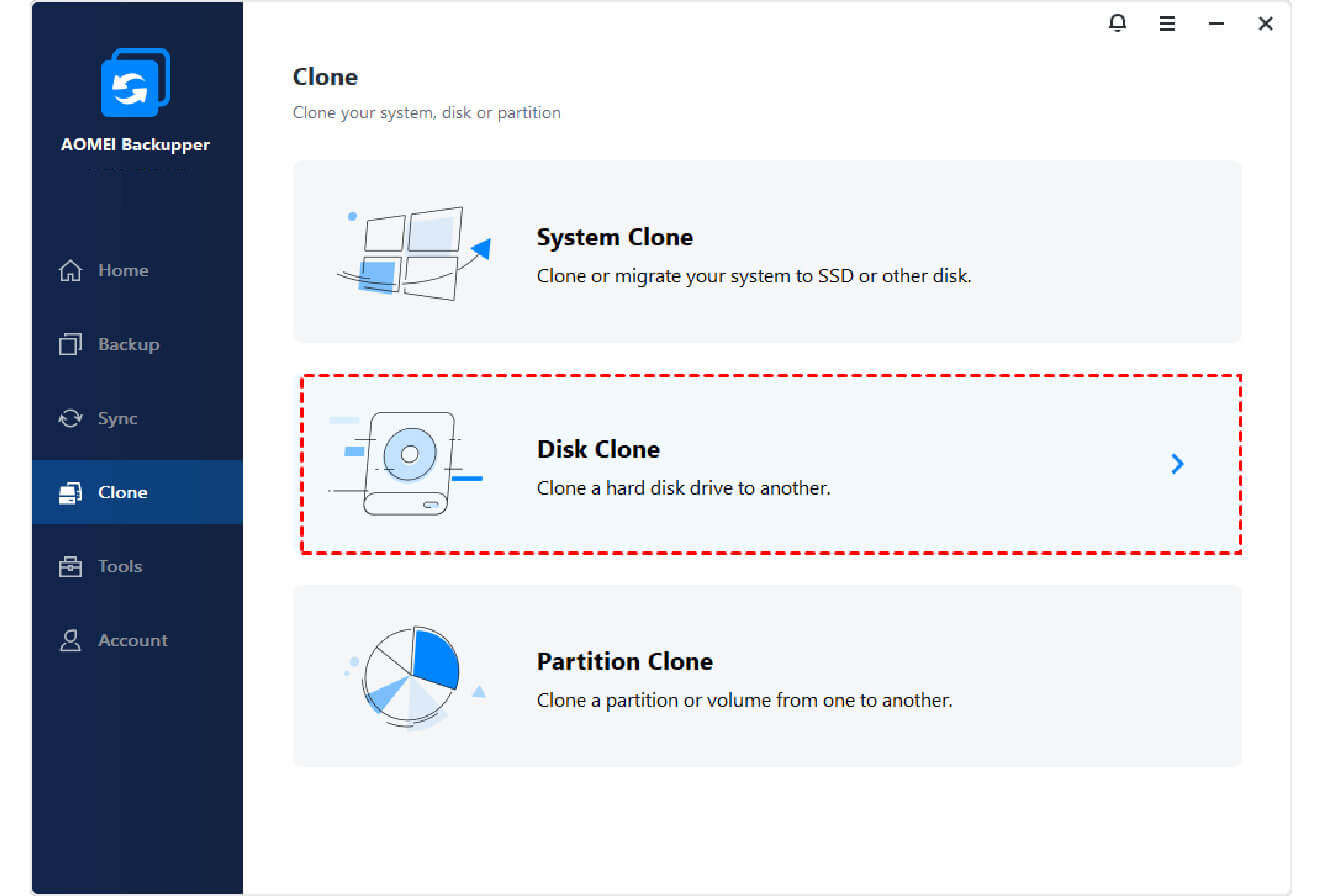
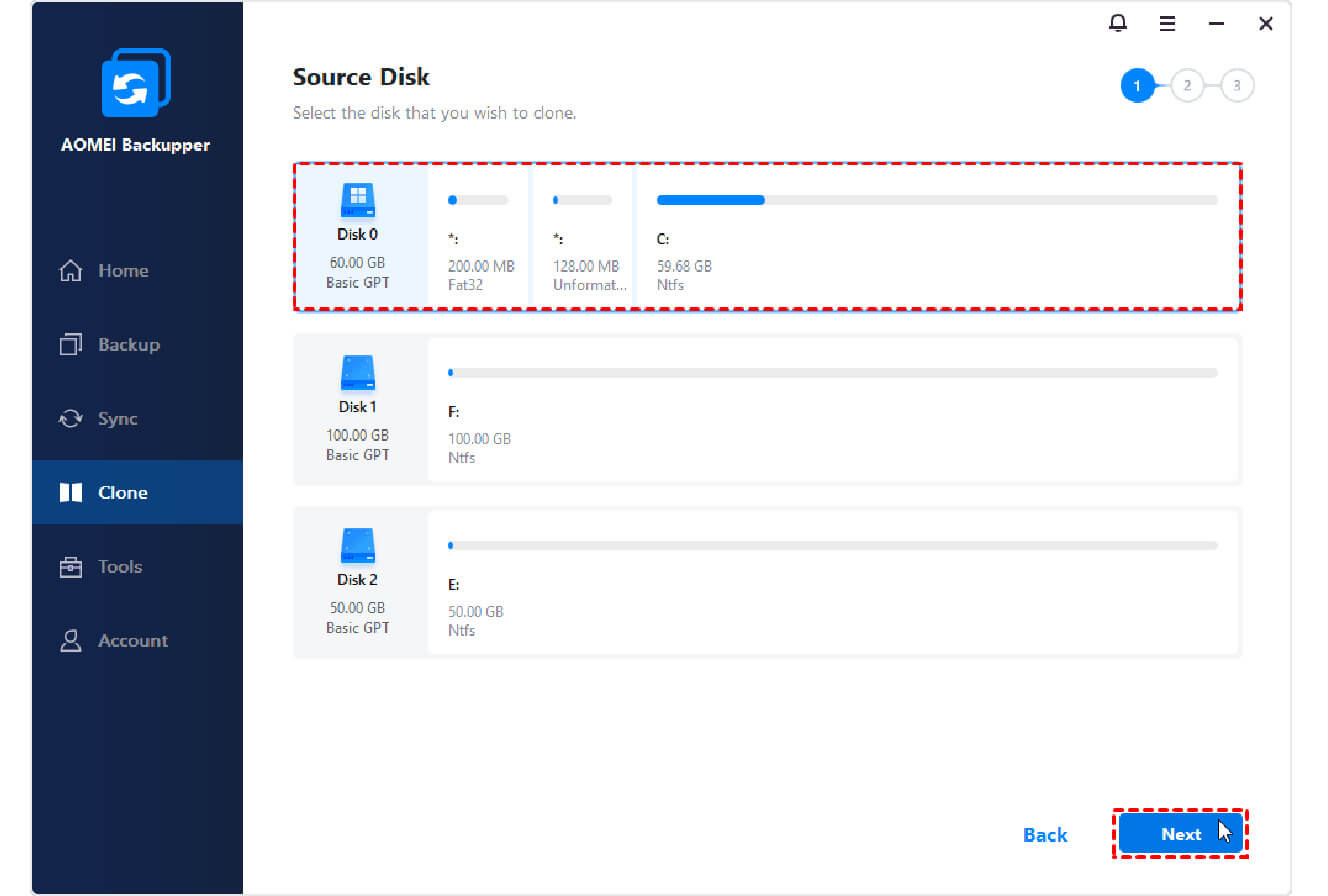
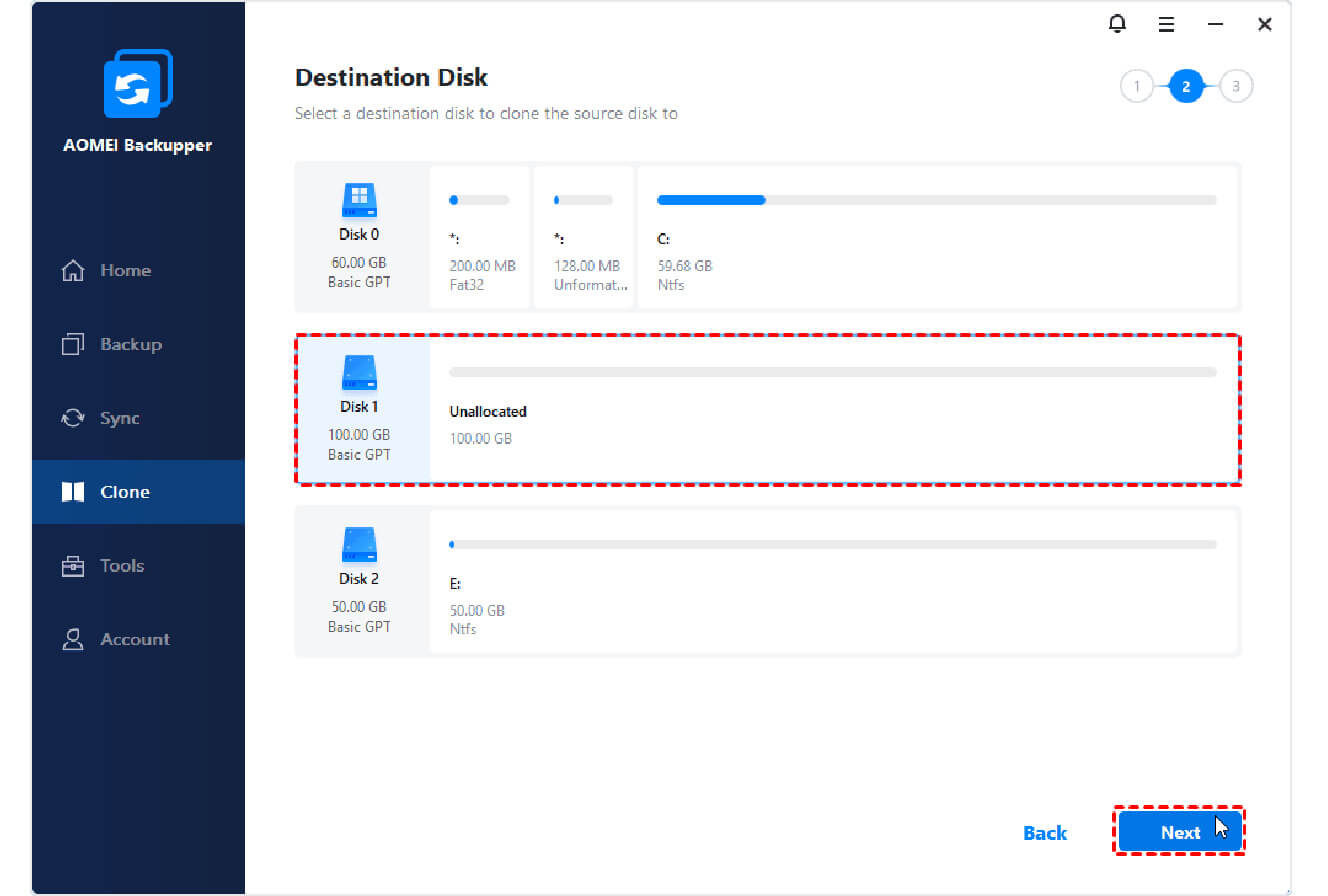
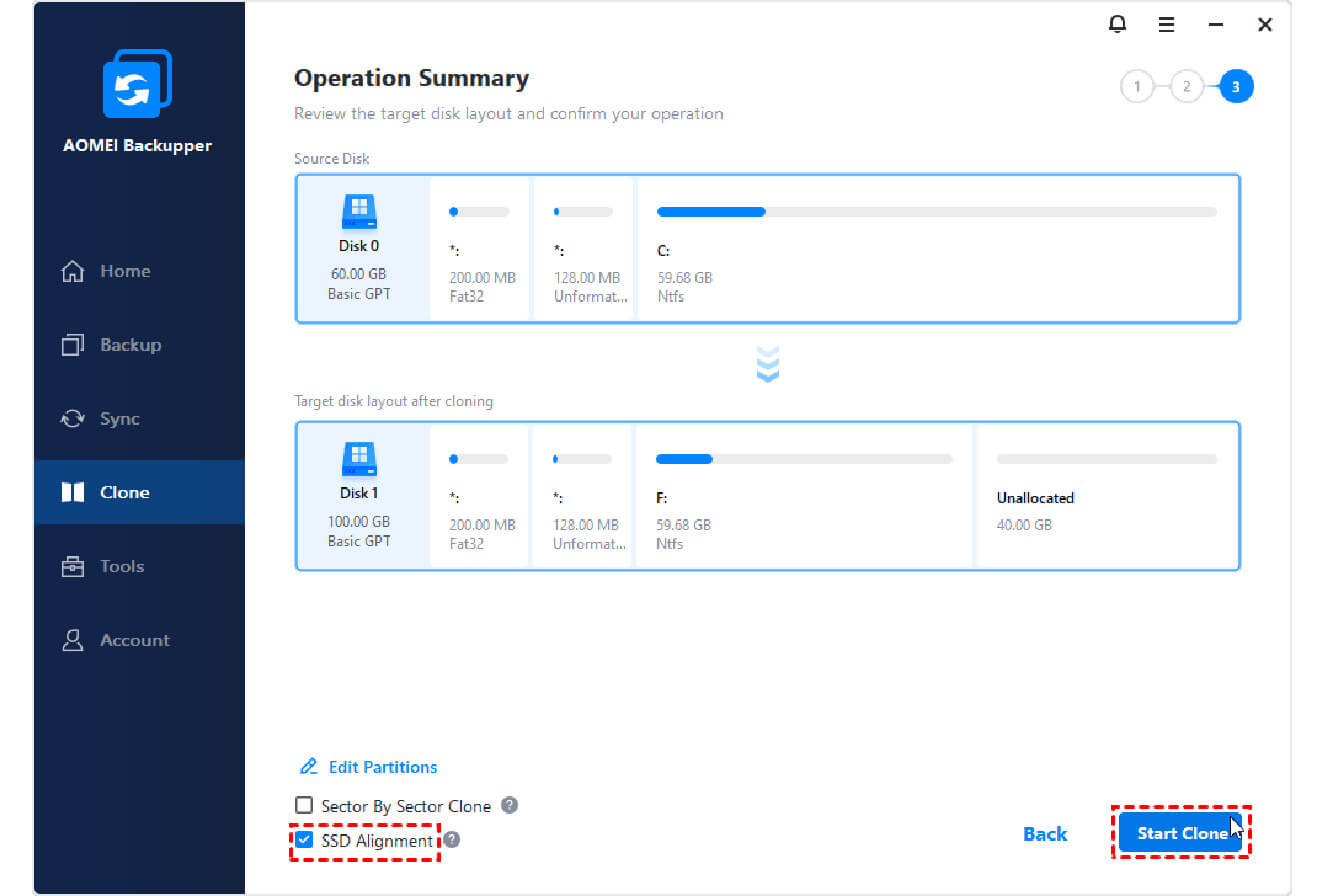
You can easily migrate OS to new SSD with this user-friendly software. Grab it and have a try if needed.
AOMEI Backupper is a great helper to clone larger HDD to smaller SSD without boot failure. It saves the life of my computer before it crashes.
This excellent disk cloning software helped me a lot in cloning Windows 11 hard drive to smaller SSD. And it boots successfully after cloning.
 AOMEI Backupper Professional
 AOMEI Backupper