 AOMEI Backupper
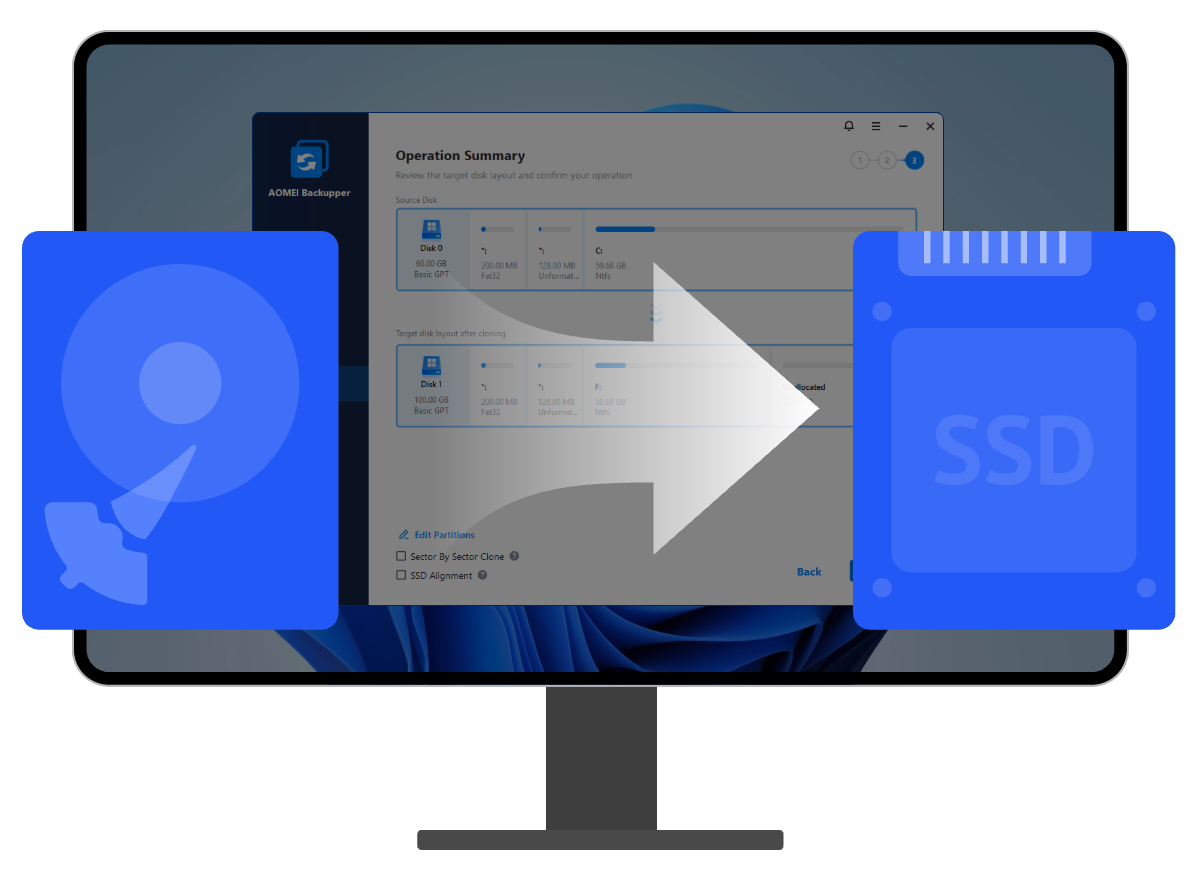
AOMEI Backupper disk clone function transfers all data & apps from one disk to another, enables you to upgrade old hard drive to smaller or larger SSD, along with old disk data effortlessly.

The hard drive to SSD clone tool helps you to migrate Windows operating system to SSD of different types, like SATA SSD, M.2 SSD and NVMe SSD without boot failure.

AOMEI Backupper supports clone hard disk drive (SSD) or solid-state drive (HDD) to larger SSD without losing any data and enables you to adjust partition size automatically in cloning process.
Download, run AOMEI Backupper, go to Clone> Disk Clone, and see how to clone hard drive to SSD on Windows 11/10/8.1/8/7 in 3 steps.
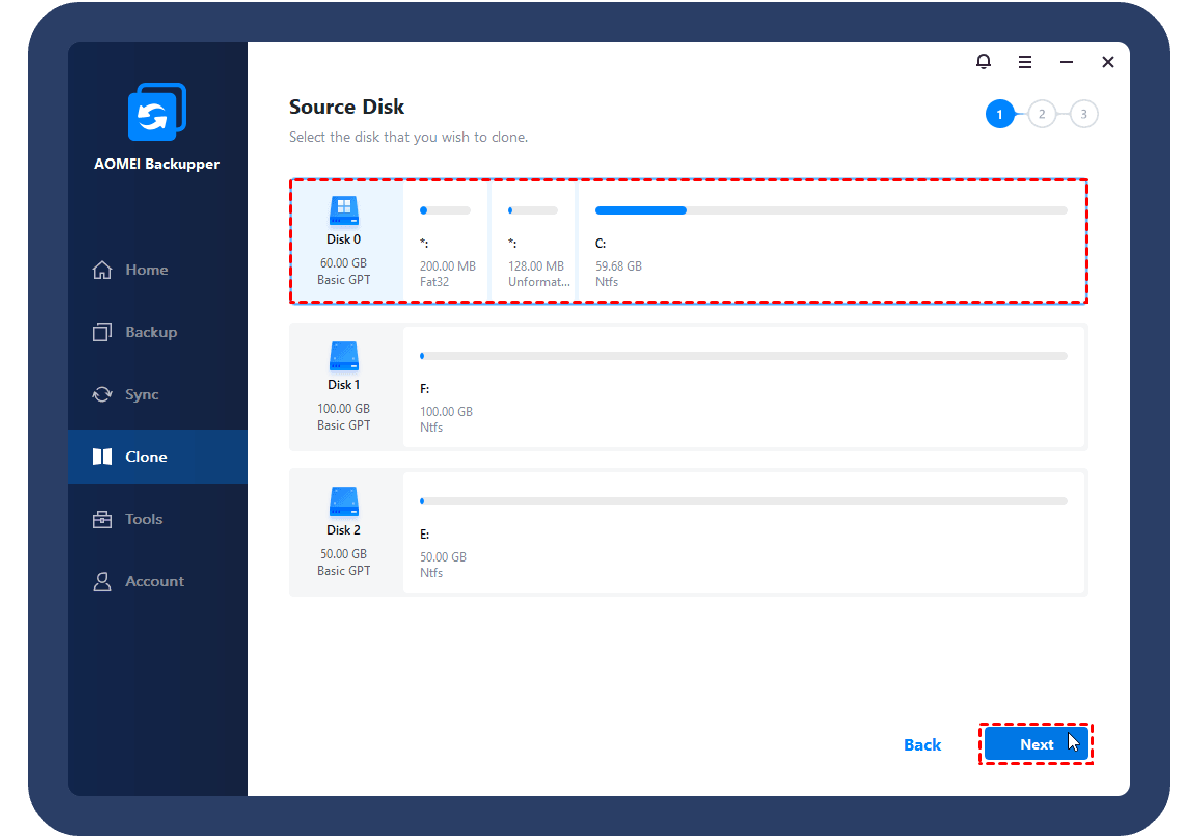
Select the source hard drive that need to be cloned.
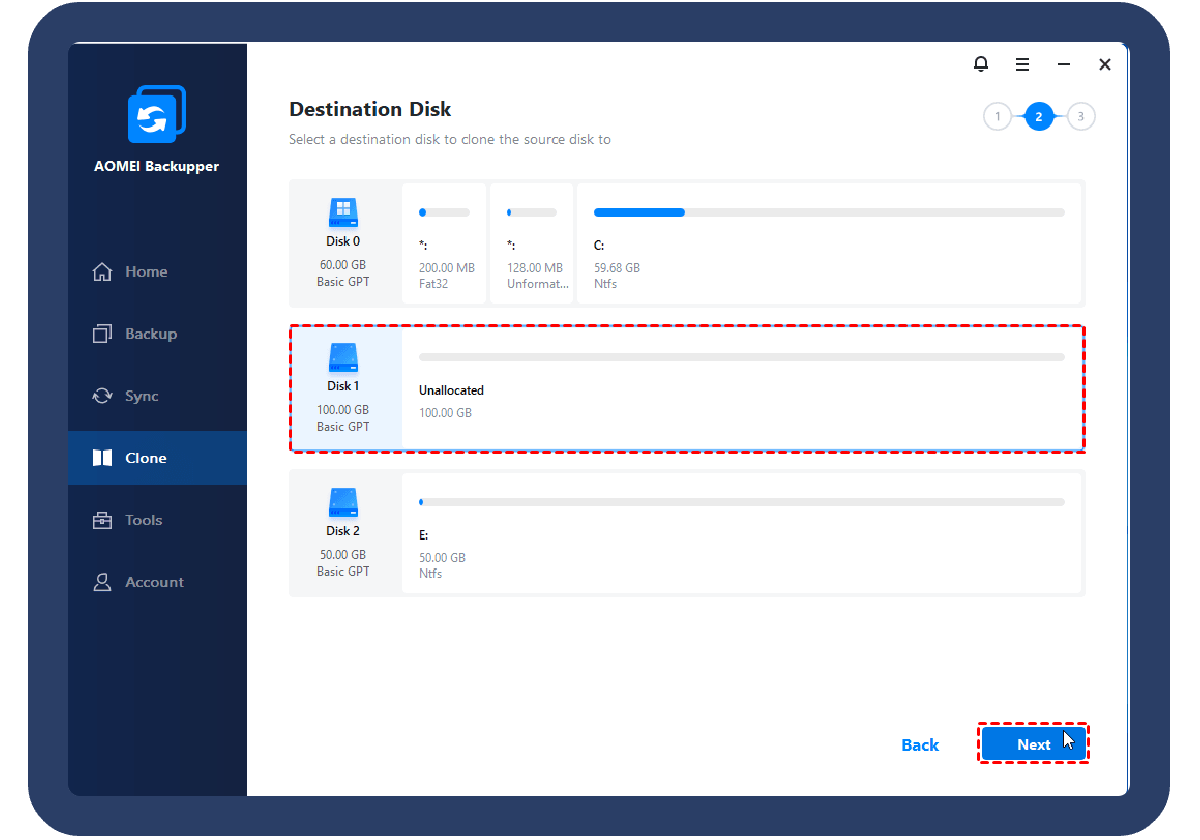
Select the destination disk to clone to.
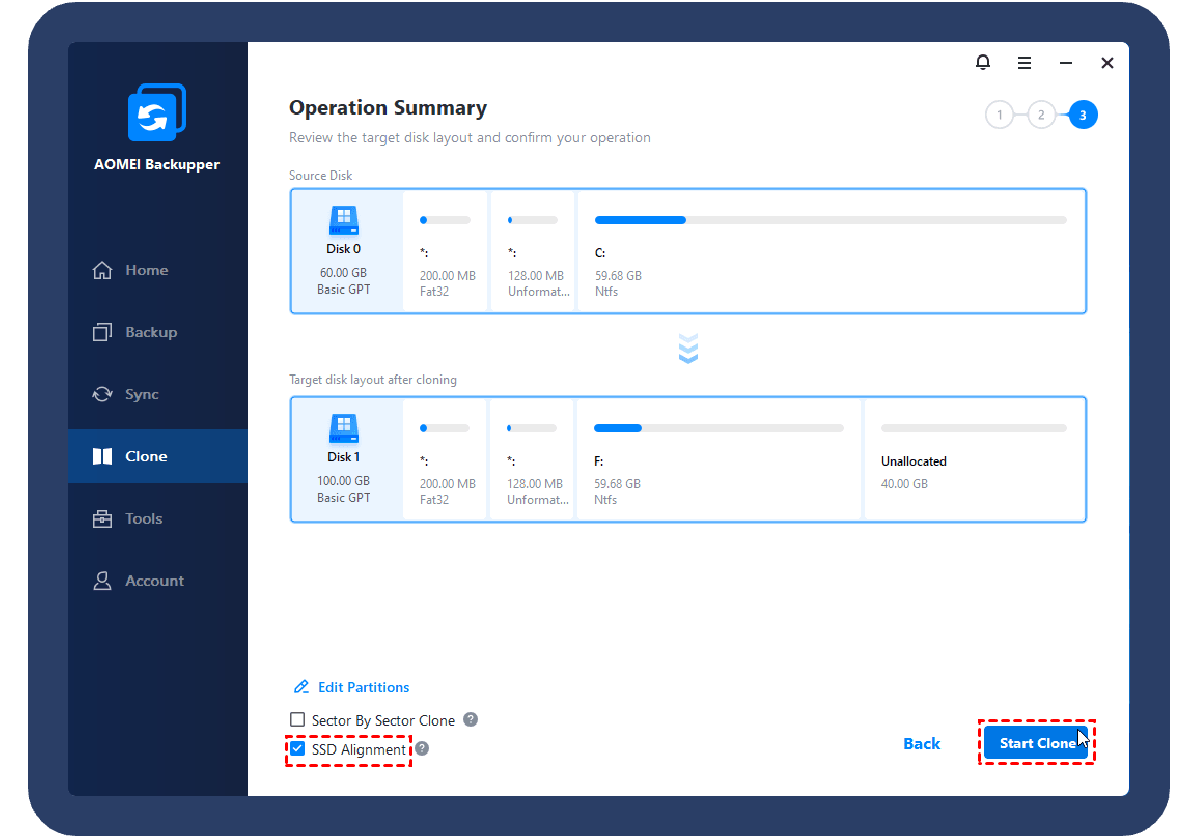
Tick “SSD Alignment” for better performance.Click “Start Clone” to execute the task. All data will keep intact after cloning.

Apart from hard drive to SSD clone, AOMEI Backupper can easily and effectively perform HDD to HDD clone, SSD to HDD clone, SD card to SD card clone, USB flash drive to USB flash drive, and more.

AOMEI Backupper enables you to automatically backup system, disk, partition and files with full, incremental and differential methods. And it can backup to different locations, including internal/external storage, CD/DVD, NAS/network share, cloud as you want.

AOMEI Backupper offers basic, mirror, and real-time sync modes to personalize sync needs. And it can perform sync tasks automatically to keep a copy of frequently changed data without any efforts.

Cloned disk may not work well in computers with different hardware. In such case, you can create a system backup image and then restore system to dissimilar hardware with Universal Restore function.
AOMEI Backupper is a great helper to clone larger HDD to smaller SSD without boot failure. It saves the life of my computer before it crashes.
This excellent disk cloning software helped me a lot in cloning Windows 11 hard drive to smaller SSD. And it boots successfully after cloning.
You can easily migrate OS to new SSD with this user-friendly software. Grab it and have a try if needed.
 AOMEI Backupper
 AOMEI Backupper