Let Windows File Recovery alternative - WinfrGUI help you recover deleted files in Windows 10/11 to get rid of complex Windows File Recovery commands.

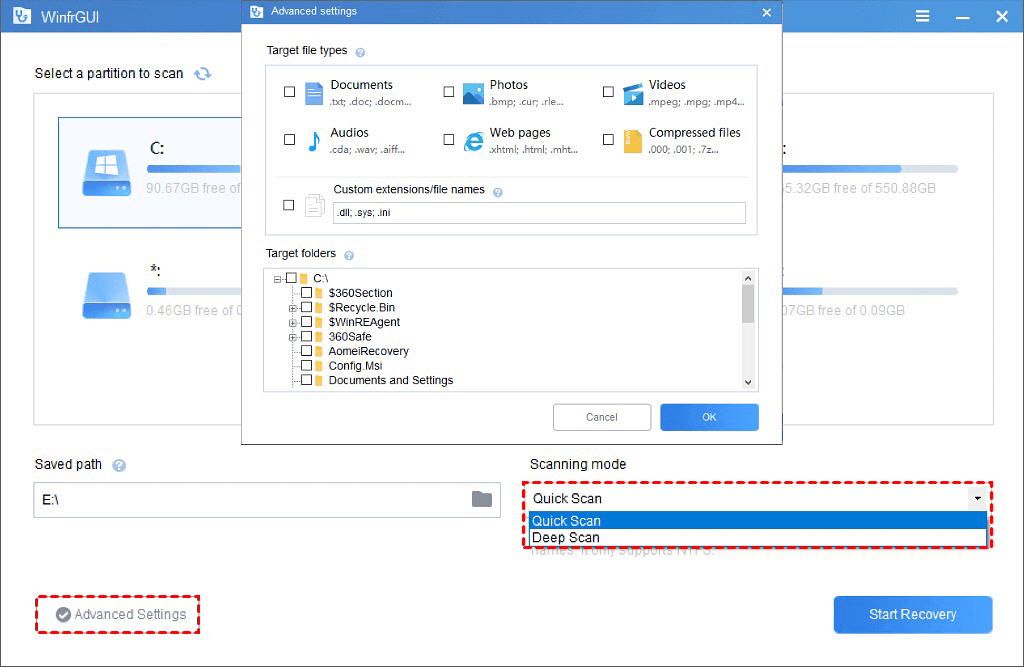
Quick Scan: Fast scanning speed; Recover files with the directory structure and file
names under
NTFS file system;
Deep Scan: Recover more files that have lost directory structure and file names.
Recover media files/office files/ZIP files, etc., including JPEG/ /PDF/DOCX/MP3/EXCEL/ZIP and more.
Recover accidentally deleted files;
Recover files from formatted hard drives;
Recover files from corrupted hard drives.
Recover lost Windows files from SSD/HDD/USB/memory cards under Windows 11/10, NTFS/FAT/exFAT/ReFS.

Use WinfrGUI - Free Windows File Recovery software to recover deleted media files, Office files, ZIP files & more in Windows 10/11 in a breeze.
No More Worries about Windows File Recovery Commands
As a free alternative of Windows File Recovery (Microsoft official file recovery app), WinfrGUI provides a graphical interface and step-by-step guide, getting you free of complex command lines to recover deleted files in Windows 10/11 effortlessly with just a few simple clicks.
Recover Deleted Files Windows 10/11 Totally Free
It’s a 100% FREE tool. Users will not be required to purchase any content or service inside the software. No matter what scanning methods to use and what types of files to recover, using the software does not charge any fees at all.
Supported by AOMEI Team with 10+ Years of Experience
AOMEI is the benchmark in the data recovery industry. As free Windows File Recovery software developed by AOMEI, WinfrGUI is equipped with advanced file recovery techniques. Based on the superior techniques, WinfrGUI scans your disk or partition and recovers the deleted files with a high recovery rate.
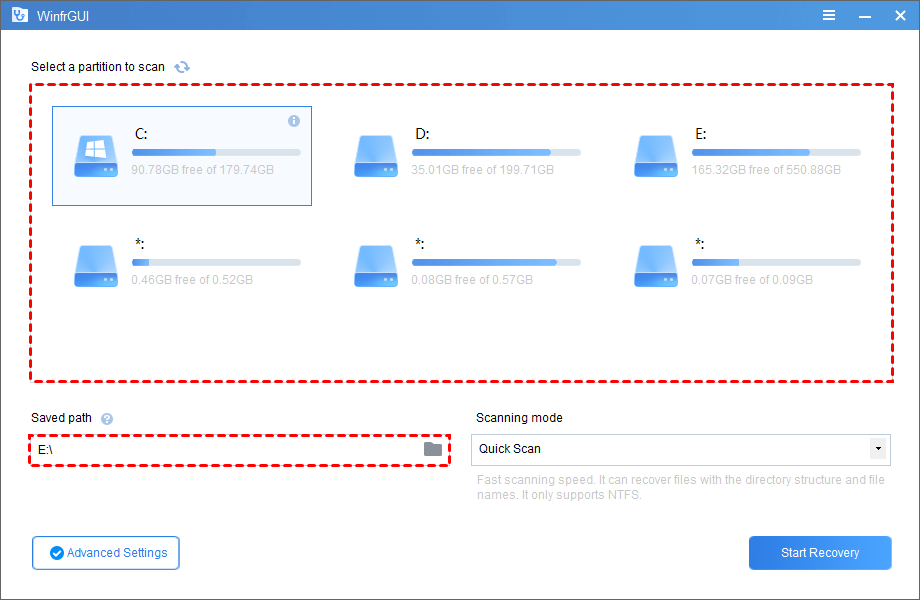
Perform Windows file recovery free using WinfrGUI within 3 simple steps.
Select a partition where you have deleted files, and then choose another location to store the recovered files according to your preferences.
Choose a scanning method according to the File System & data loss scenarios. Advanced settings are available if needed.
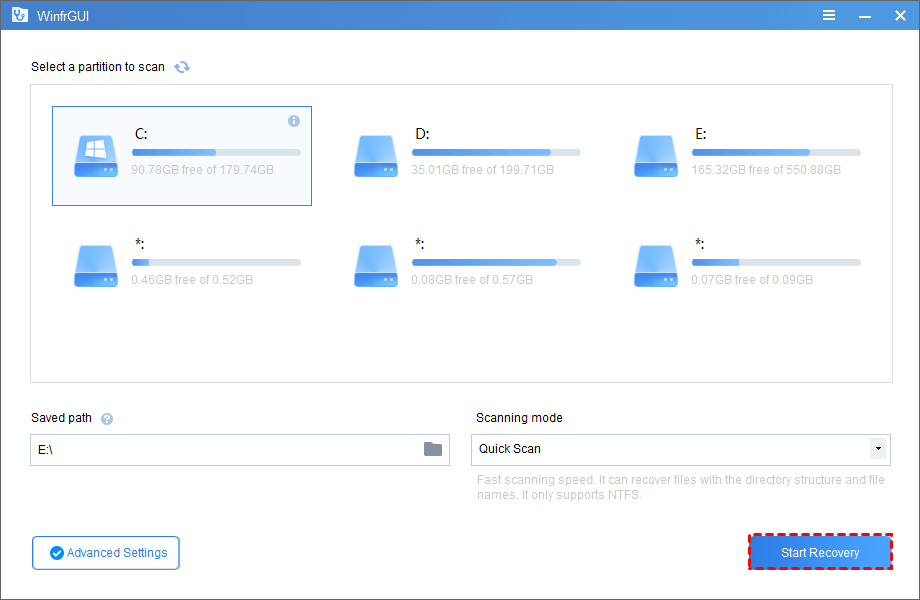
Click “Start Recovery” to get all your deleted files back with ease.
In addition to WinfrGUI, more data recovery software developed by AOMEI could help you out from more data loss scenarios.
Recover deleted data, including photos, videos, notes, WeChat chat histories, etc. on iOS devices.
Learn More Free TrialRecover deleted partitions on internal/external hard drives in Windows 10/8/7/Vista/XP. Learn More Free Trial
Learn More Free Trial